Save from anywhere
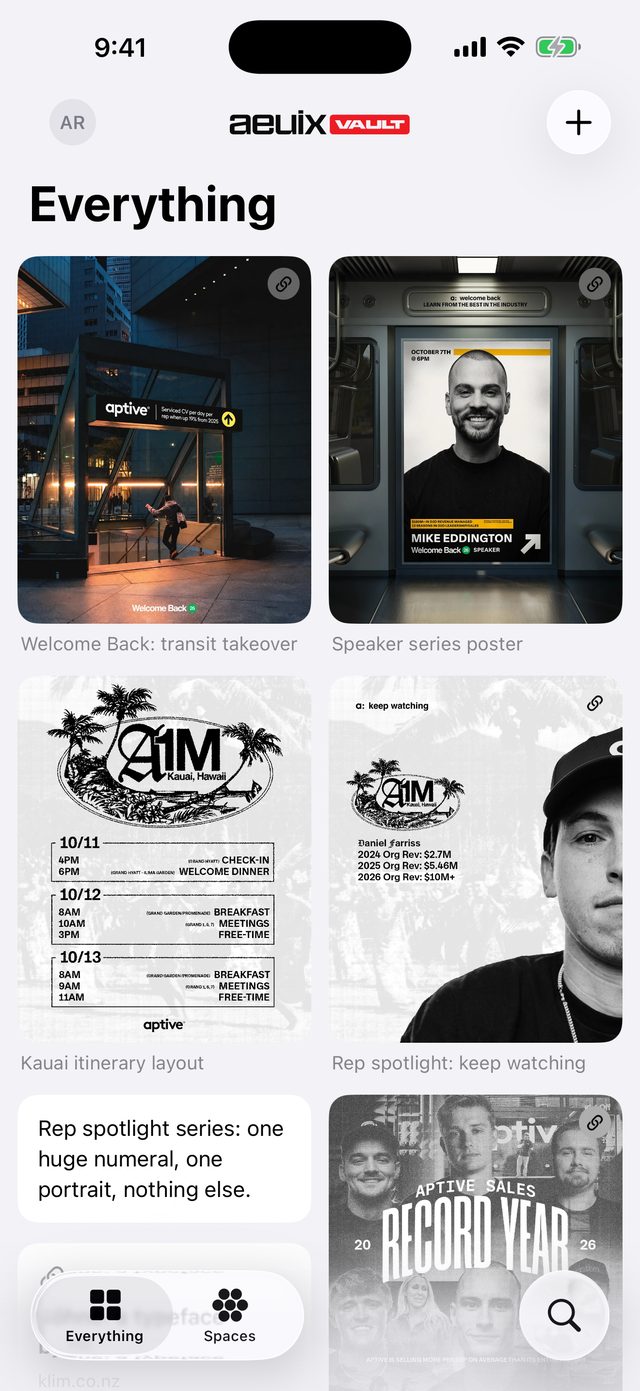
Use the share sheet in Safari, Instagram, Photos or any app that shares links and pictures. The link, its title and its picture land in your Vault.

 aeuix® Vault · iPhone, iPad and Mac
Links, screenshots and notes you don't want to lose, saved from anywhere with the share sheet and sorted into spaces and tags. A private library for the ideas behind your next campaign.
What it does
Use the share sheet in Safari, Instagram, Photos or any app that shares links and pictures. The link, its title and its picture land in your Vault.
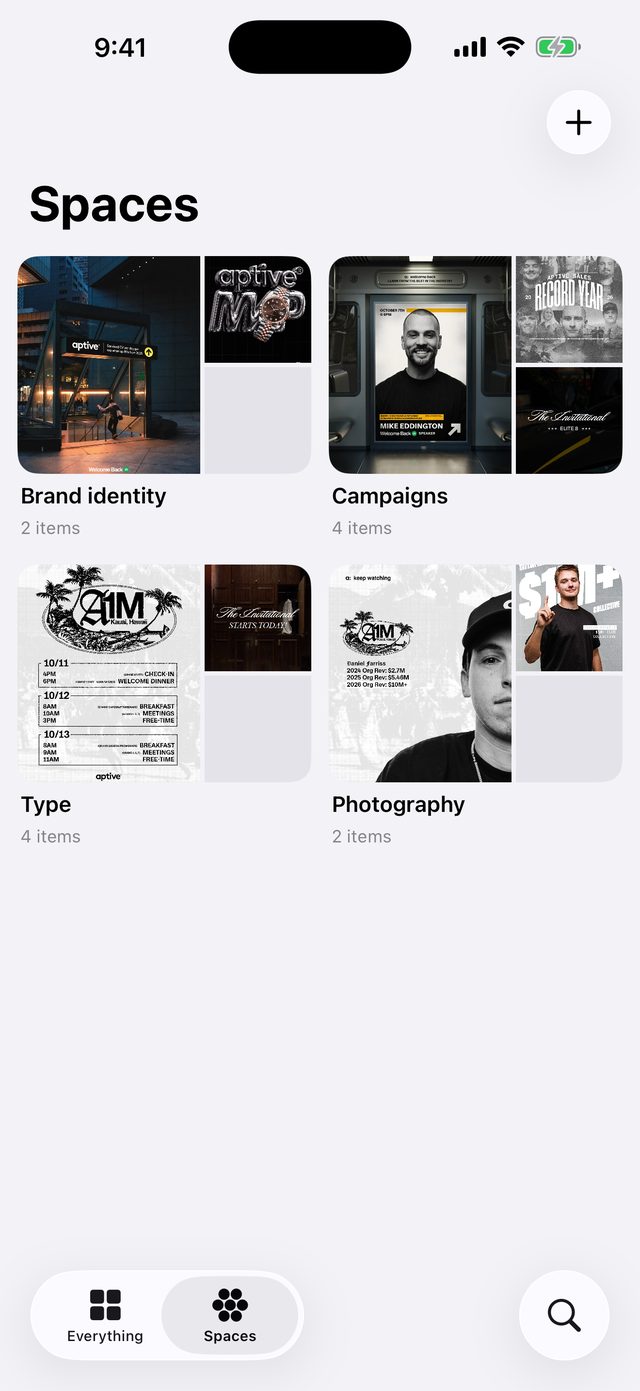
Spaces hold one client, campaign or theme each, so a rebrand and a reel idea never sit in the same pile.
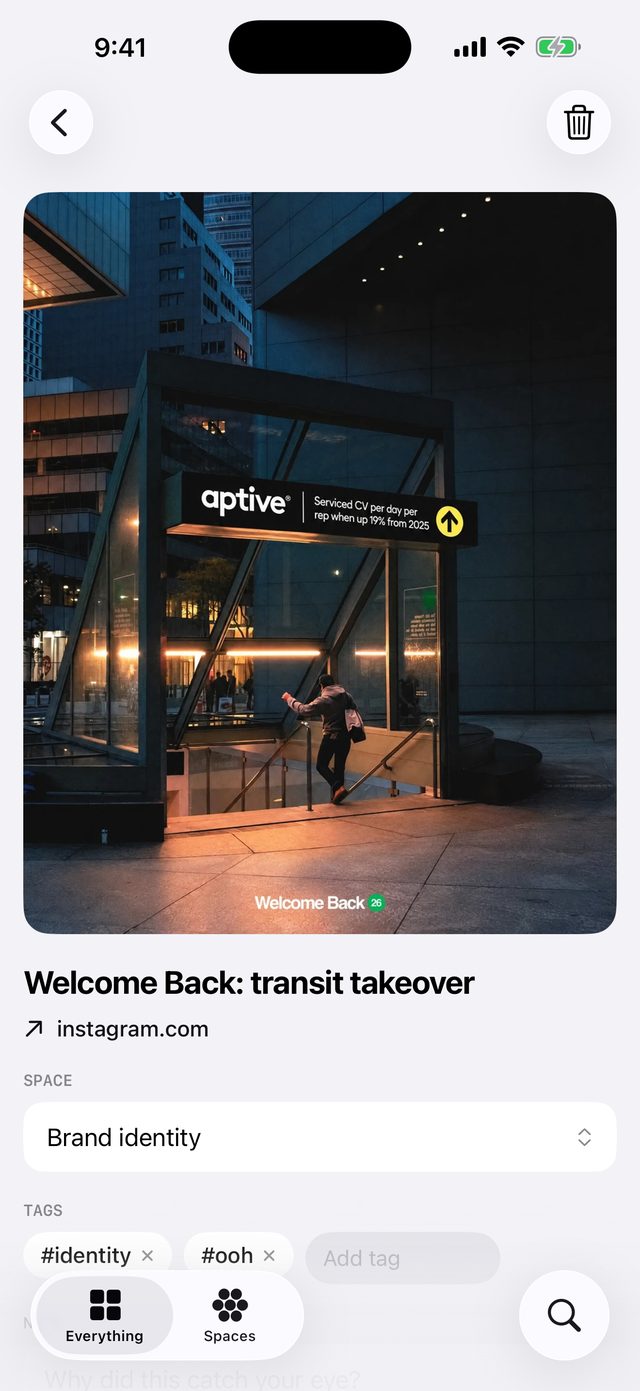
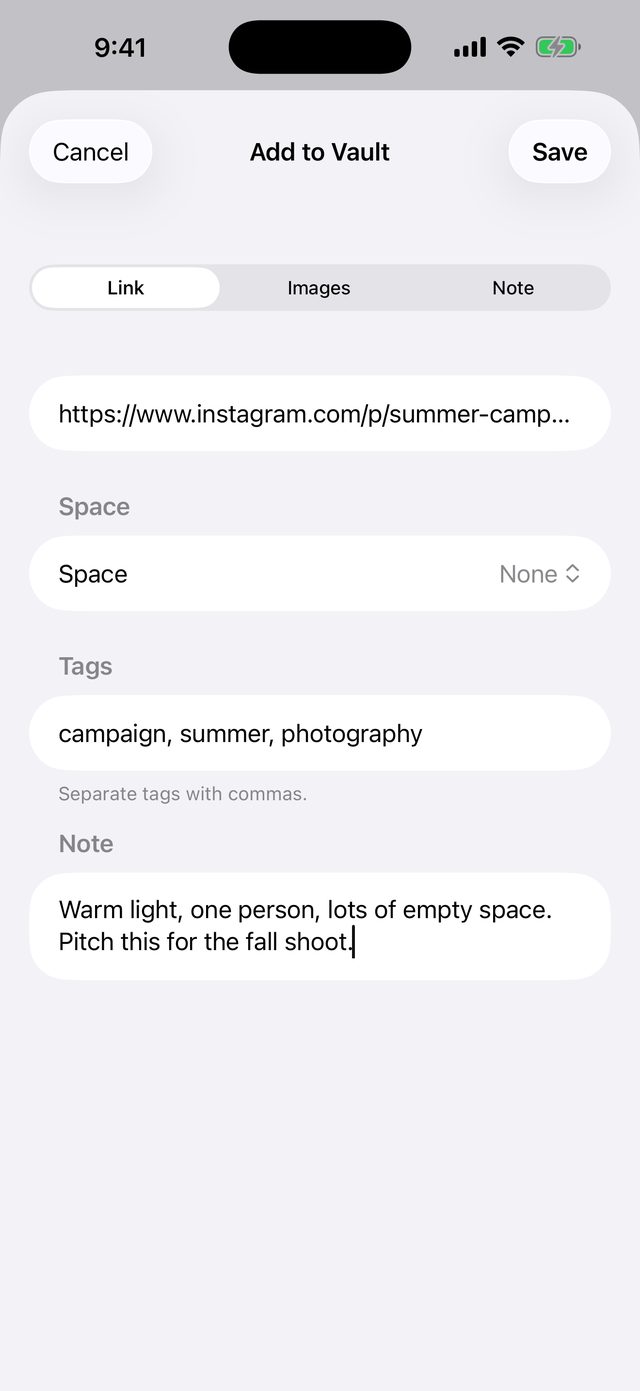
Tag as you save or sort things out later. Tap any tag anywhere to see everything that carries it.
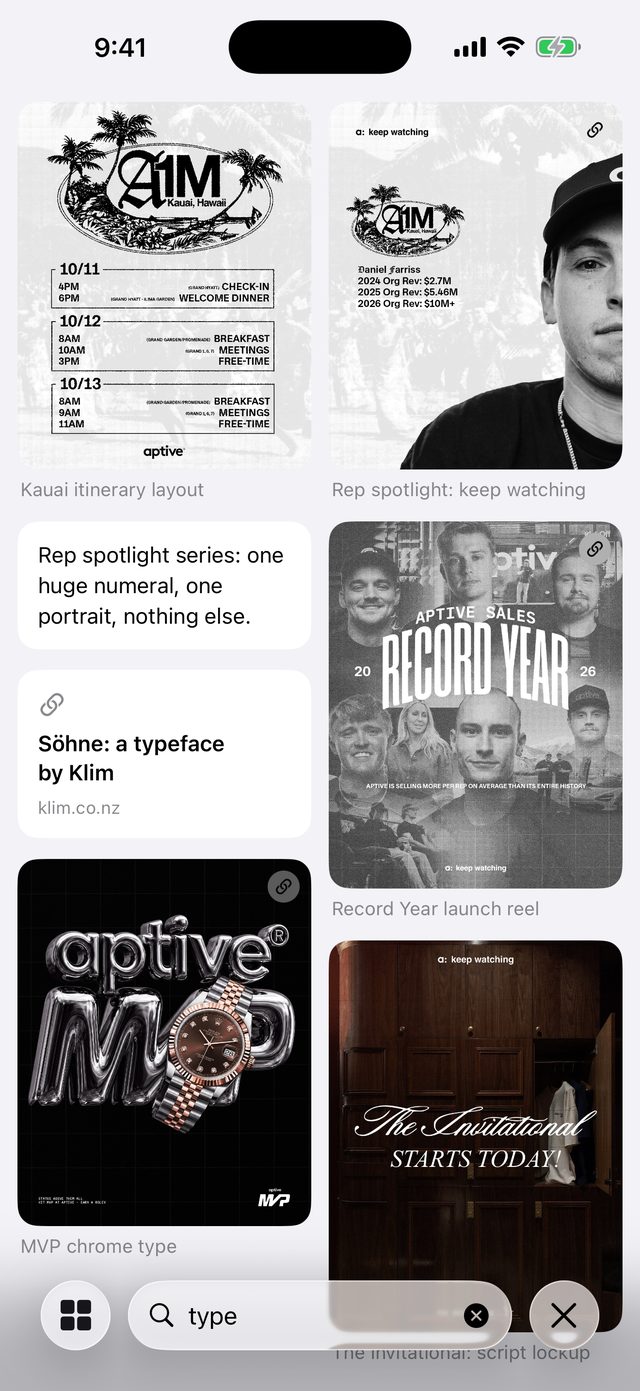
Search matches titles, notes, sites and #tags as you type. The thing you saved three months ago is one word away.
Each item keeps where it came from, its picture and the note you wrote about why it caught your eye.
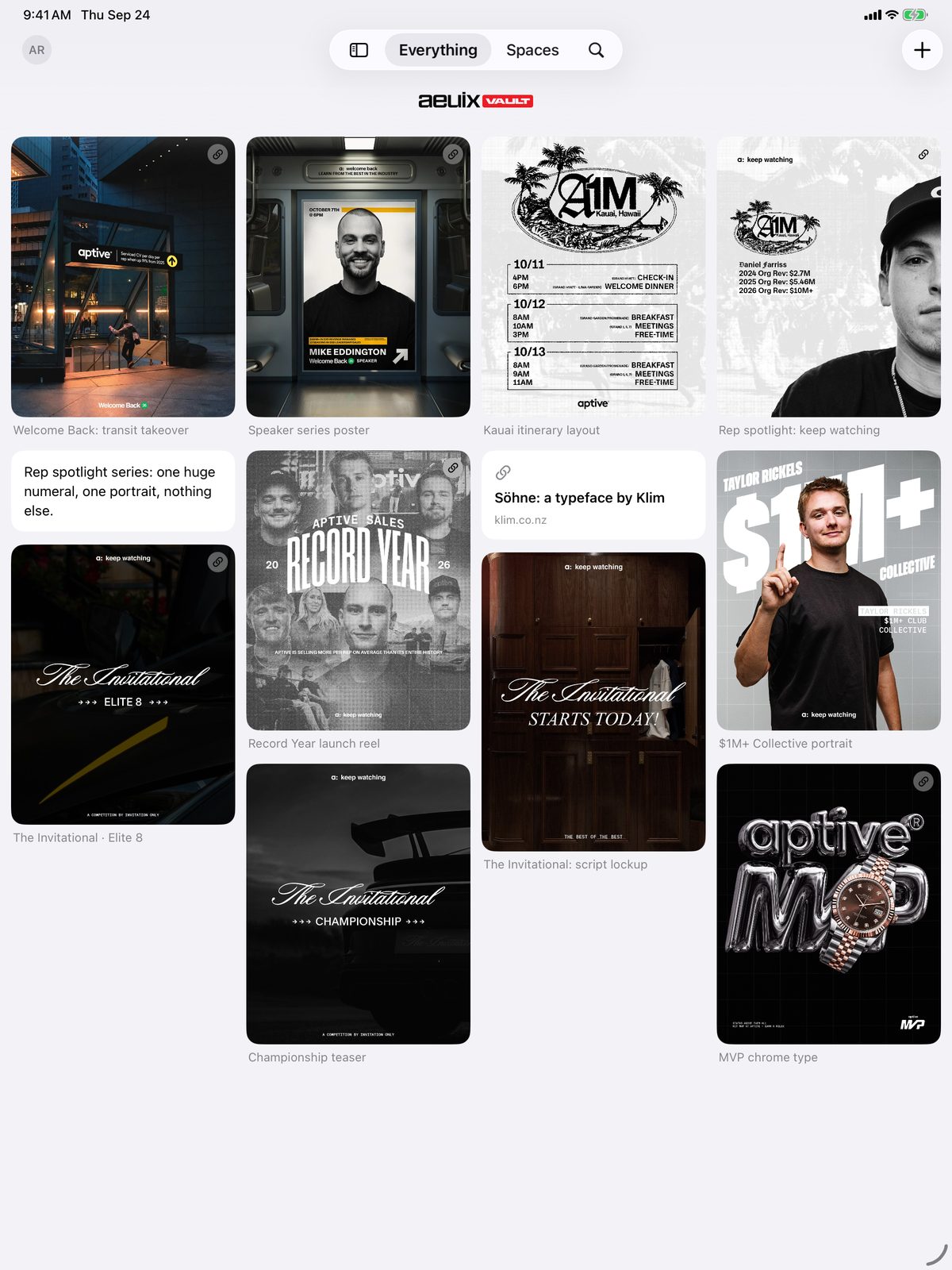
Sign in with your aeuix account and your Vault is the same on every device, including the Mac app.
How it works
See something worth keeping? Share it to aeuix Vault from the app you are in, or paste a link, pick photos or write a note inside the app.
Give it a space and a few tags on the way in, or leave it in Everything and organise when you have a minute.
Search it up when the brief lands. Drop it onto an aeuix Spark board or attach it to a project request from the Vault picker in aeuix One.
Works with aeuix One
Your Vault is part of aeuix One, the client portal. Pull saved pictures and links onto an aeuix Spark board, or attach them to a project request, straight from the Vault picker. Everything that leaves the Vault is a copy, so the library itself stays yours.
Private by design
Nothing you save is shared with anyone, including the aeuix team. No ads, no tracking, no analytics. Delete anything, or the whole library, whenever you like.
Who it's for
aeuix Vault signs in with your aeuix account. Accounts are created by aeuix, so if you are a client without a login yet, email will@aeuix.com.
Help & policies
Support · Privacy Policy · Terms of Service · All aeuix Vault policies
Free for aeuix clients